
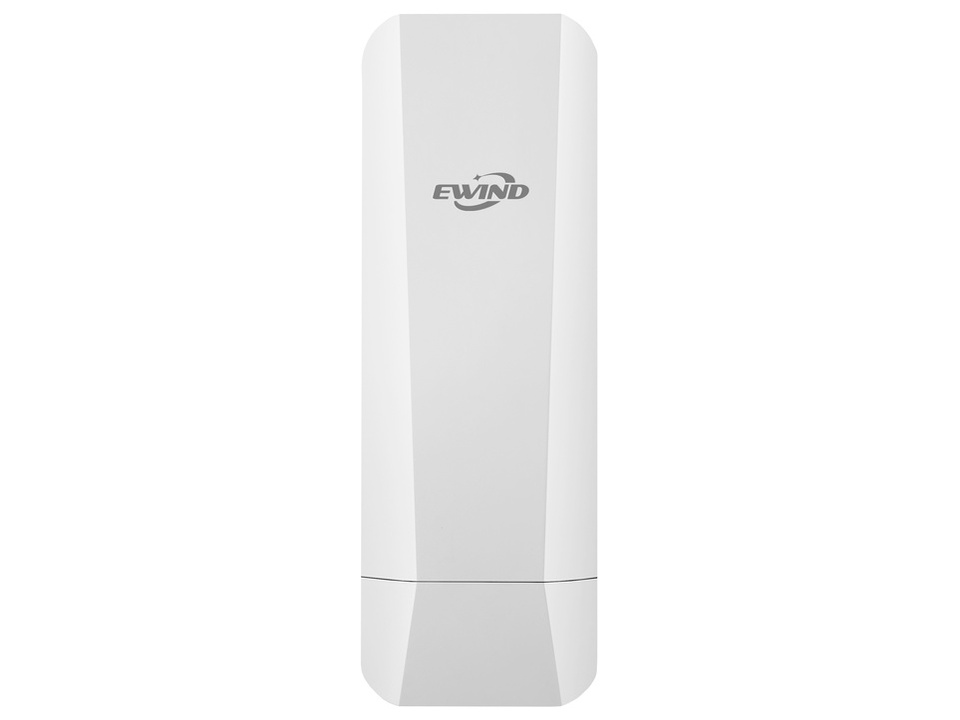
Wireless CPE
NV-CPE5-O
Outdoor 5.8GHz Wireless Bridge CPE (14dBi) – NV-CPE5-O Key Features: • Transmission speeds up to 900 Mbps in the efficient 5.8 GHz band. • Built-in directional antenna with a 14 dBi gain, enabling stable connections over distances up to 5 kilometers. • Point-to-Point (PtP) and Point-to-Multipoint (PtMP) operation modes supporting up to 8 receiving devices. • IP65 protection rating and flexible power options (24V Passive PoE / 12V DC power supply). The NV-CPE5-O is an industrial-grade outdoor CPE (Customer Premises Equipment) designed as a highly reliable wireless bridge for long-distance data transmission. By utilizing the interference-free 5.8 GHz band and an integrated high-gain directional antenna, the device can establish a stable radio link covering distances up to 5 km. This is a perfect alternative where laying cables is impossible or unprofitable—such as in outdoor video surveillance systems (CCTV) or connecting isolated company buildings to the headquarters. The installation process is simplified by an intuitive pairing mechanism that requires no advanced PC configuration, while the industrial-grade enclosure guarantees uninterrupted operation.
Key Features
Wi-Fi
Wi-Fi 5 (802.11ac)
PoE Port
1x 100Mbps (PoE-in)
PoE Standard
24V Passive PoE
Bandwidth
867 Mbps
Management
Web GUI
Power Supply
24V Passive PoE
Power Consumption
< 10W
Features
PTP/PTMP, 14dBi Directional
Chipset
MT7620DA + 7612E
RAM
64MB
Flash
8MB
Enclosure
Outdoor IP65
Technical Specifications
| Model | NV-CPE5-O |
| Hardware Configuration | |
| Main Chip | MT7620DA+7612E |
| CPU Frequency | 580MHz |
| RAM | 64MB |
| Flash | 8MB |
| Wireless Technology | 802.11a/n/ac 900Mbpss 2T2R Technology |
| Network Interface | 1x10/100/1000Mbps POE/WAN 1x10/100Mbps LAN |
| Antenna | Built-in dual-polarized 14 dBi directional panel antenna Beamwidth H: 60° | V: 60° |
| Power Supply | 24V Passive PoE, 1A (remote) 24V DC, 1A (positive tip, negative sleeve) |
| Buttons | Reset / Digital Compound Button Short press: adjust numeric display value | Long press (25s): restore factory settings |
| Indicators | PWR: power status LAN: Ethernet port status SIG1/SIG2/SIG3: signal strength Numeric display: shows digital pairing value or configuration |
| Operating TEMP / Humidity | -30°C~55°C; 5%~90% RH (non-condensing) |
| Storage TEMP / Humidity | -40°C~70°C; 5%~95% RH (non-condensing) |
| Protection | 15KV ESD Protection 6KV Lightning Protection |
| Dimensions | 140 * 75 * 34 mm |
| Weight | 0.15kg |
| WiFi Specification | |
| Frequency Band | UNII-1: 5.150-5.350 GHz UNII-2: 5.470-5.725 GHz UNII-3: 5.725-5.825 GHz |
| Channel | 36, 40, 44, 48, 52, 60, 64, 149, 153, 157, 161, 165 |
| Modulation | 802.11a: OFDM (BPSK, QPSK, 16-QAM) 802.11n: OFDM (BPSK, QPSK, 16-QAM, 64-QAM) 802.11ac: OFDM (BPSK, QPSK, 64-QAM, 256-QAM) |
| Transmission Rate | 802.11a: up to 54 Mbps 802.11n: up to 300 Mbps 802.11ac: up to 900 Mbps |
| Receiver Sensitivity | 802.11a: ≤-86 ±1.5 dBm @6 Mbps, ≤ -69 ±1.5 dBm @54 Mbps 802.11n (20 MHz): ≤-85 ±1.5 dBm @MCS0, ≤-67 ±1.5 dBm @MCS7 802.11n (40 MHz): ≤-82 ±1.5 dBm @MCS0, ≤-64 ±1.5 dBm @MCS7 802.11ac (20 MHz): ≤-84 ±1.5 dBm @MCS0, ≤-59 ±1.5 dBm @MCS8 802.11ac (40 MHz): ≤-82 ±1.5 dBm @MCS0, ≤-56 ±1.5 dBm @MCS9 802.11ac (80 MHz): ≤-78 ±1.5 dBm @MCS0, ≤-52 ±1.5 dBm @MCS9 |
| Transmit Power | 802.11a: 23 ±1.5 dBm @54 Mbps 802.11n (20/40 MHz): 23 ±1.5 dBm @MCS7 802.11ac (40/80 MHz): 23 ±1.5 dBm @MCS9 |
| Operation & Network Specifications | |
| Operation Mode | Bridge Access Point, Bridge Client |
| Network Topology | Point-to-Point (PtP); Point-to-Multipoint (PtMP), up to 8 devices |
| Management Method | Web-based remote management Watchdog/Self-healing by default One-Key Connection |
| Status Monitoring | System Status | Bridge Status | Interface Status |
| Bridge Configuration | Wireless Mode: Bridge Access Point | Bridge Client Bridge Access Point Settings: Link Name, Password, Wireless Protocol, Frequency Band, Wireless Channel, RF Power, Terminal Restriction Bridge Client Settings: Link Name (Scanning), Encryption Mode, Password, Master MAC, RF Power |
| Wi-Fi Settings | Wi-Fi Enable / Disable, Hide SSID, Wi-Fi Name (SSID), Encryption Mode, Wi-Fi Password |
| Advanced Wireless Settings | RTS/CTS Threshold Beacon Interval Fragmentation Threshold |
| Network Settings | IP Address Acquisition: DHCP (Automatic), Static IP Static Settings: IP Address, Subnet Mask, Gateway |
| System | System Debug, Change Password, Reboot, Factory Reset, Firmware Upgrade |
| Setup Wizard | Wireless Settings → Network Settings → Summary |